Electrician Website: 10 Must-Have Pages and Features
What an electrician's website needs to turn visitors into calls and quote requests, from an emergency line and service pages to licence details and Google.
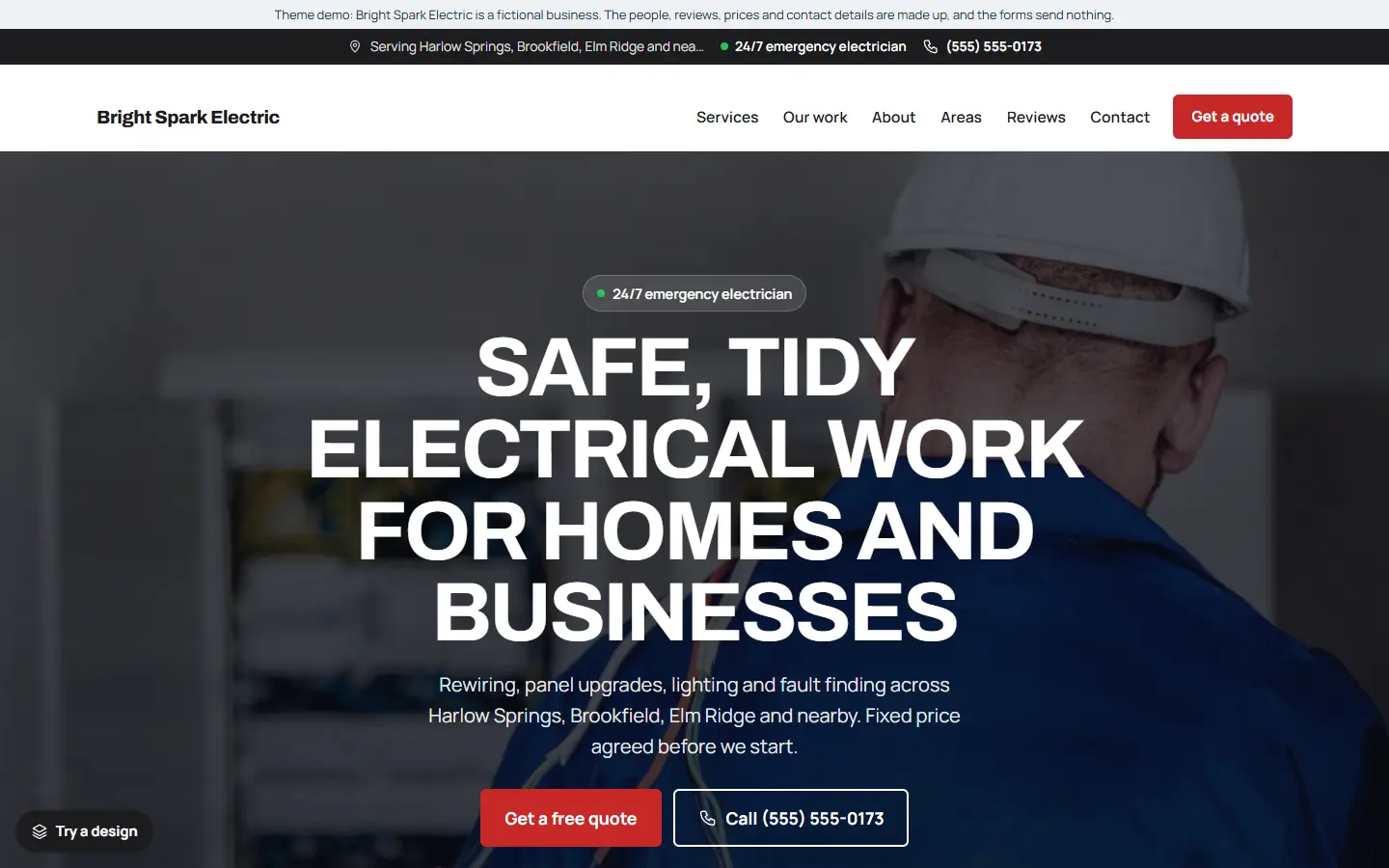
People look for an electrician in two moods. Some have no power and need help now. Others are planning a panel upgrade, new lighting or a rewire, and are comparing a few firms. A good electrician website serves both: a phone number that is impossible to miss, and enough detail to show you know the job and can be trusted in someone’s home.
Here are the ten things every electrician website should have. Use it as a checklist for a new site, or to check the one you already have.
1. A phone number you can tap from every page
Put your number at the top of every page, as a link that dials when tapped on a phone. On phones, keep a bar at the bottom of the screen with Call and Get a quote buttons, so they never scroll out of reach.
If you offer emergency call-outs, say so in the first screen people see, with the number right next to it. Someone sitting in the dark will not read three paragraphs to find it.
2. A clear emergency section
Power cuts, burning smells and tripping breakers are urgent, and frightening. A short emergency section should say:
- Which problems you treat as emergencies
- When you are available (for example “24/7” or “until 10 pm”)
- What the caller should do first to stay safe, such as switching off at the main panel
- The number to call, as a big button
3. One page for each service
A list of services on one page is not enough. Give each main service its own page:
- Emergency call-outs
- Fuse board and panel upgrades
- Lighting installation, inside and out
- Sockets, switches and extra circuits
- Rewiring
- EV chargers, smoke alarms or inspections, if you offer them
Each page should explain the problem, what you do, roughly what is involved, and end with a call or quote button. Someone searching “panel upgrade” then lands on a page about exactly that, and Google has a clear page to show for that search.
4. A short quote form
For planned work, many people prefer to describe the job and wait for a price. Keep the form short: what they need, when, and how to reach them. Splitting it into two or three small steps makes it feel quick on a phone.
Make sure every request reaches an inbox you actually check, and test the form yourself before launch.
5. Licence, insurance and certificates
Electrical work is regulated almost everywhere, and customers know it. Show the details that prove you are qualified, in a place people will see them:
- Your licence or registration number, where your area uses one
- That you are insured
- That you test your work and give the customer the paperwork, if you do
These details belong on the home page, the about page and in the footer.
6. Service areas
List the towns and neighbourhoods you cover. It tells visitors straight away whether you can help them, and it helps Google show you to people searching in those places. A separate service areas page with a short line about each town works well.
7. Real reviews
Show reviews from real customers, with the service they had and their town if they are happy for you to use it. Link to your Google reviews too, so visitors can read them where they are hosted. Never write reviews yourself or copy them from elsewhere: it is dishonest, and it breaks Google’s rules.
8. An about page with real people
People are letting you into their home. A short about page with your story, your team and real photos of you and your van does more for trust than any slogan. Say how long you have worked in the area, if that is true for you.
9. Business details Google can read
Help Google understand who you are and where you work:
- Set up your Google Business Profile and link it to your website, with exactly the same business name, address and phone number on both.
- Write page titles that say the service and the area, such as “Panel Upgrades in Springfield | Your Electric Co”.
- Add structured data (also called schema) with your business type, phone, address, hours and service areas. Some themes add it for you from your settings.
10. Fast on a phone
Most emergency searches happen on a phone, often on a weak signal. Test your site with Google’s free PageSpeed Insights and look at the mobile result. Resize photos before uploading them, and avoid heavy sliders and video backgrounds on the home page.
Quick checklist
- Tap-to-call number on every page, and a call bar on phones
- Emergency section with safety advice and availability
- A page for each main service
- Short quote form, tested
- Licence, insurance and certificates visible
- Service areas listed
- Real reviews, with a link to your Google reviews
- An about page with real people
- Google Business Profile and structured data
- Checked on a phone with PageSpeed Insights
Starting from an electrician template
If you would rather start from a finished site than build all of this yourself, our electrician template for the Mainstay theme has most of the list ready to edit:
- An emergency line in the hero and top bar, and a call and quote bar on phones.
- Six service pages: emergency electrician, fuse board and panel upgrades, lighting installation, sockets and switches, rewiring, and outdoor lighting and power.
- A short quote form with a Quote requests list inside WordPress.
- Service areas, sample reviews, opening hours and an about page, ready for your own details.
- One settings page for your business details, which also fills in the structured data Google reads.
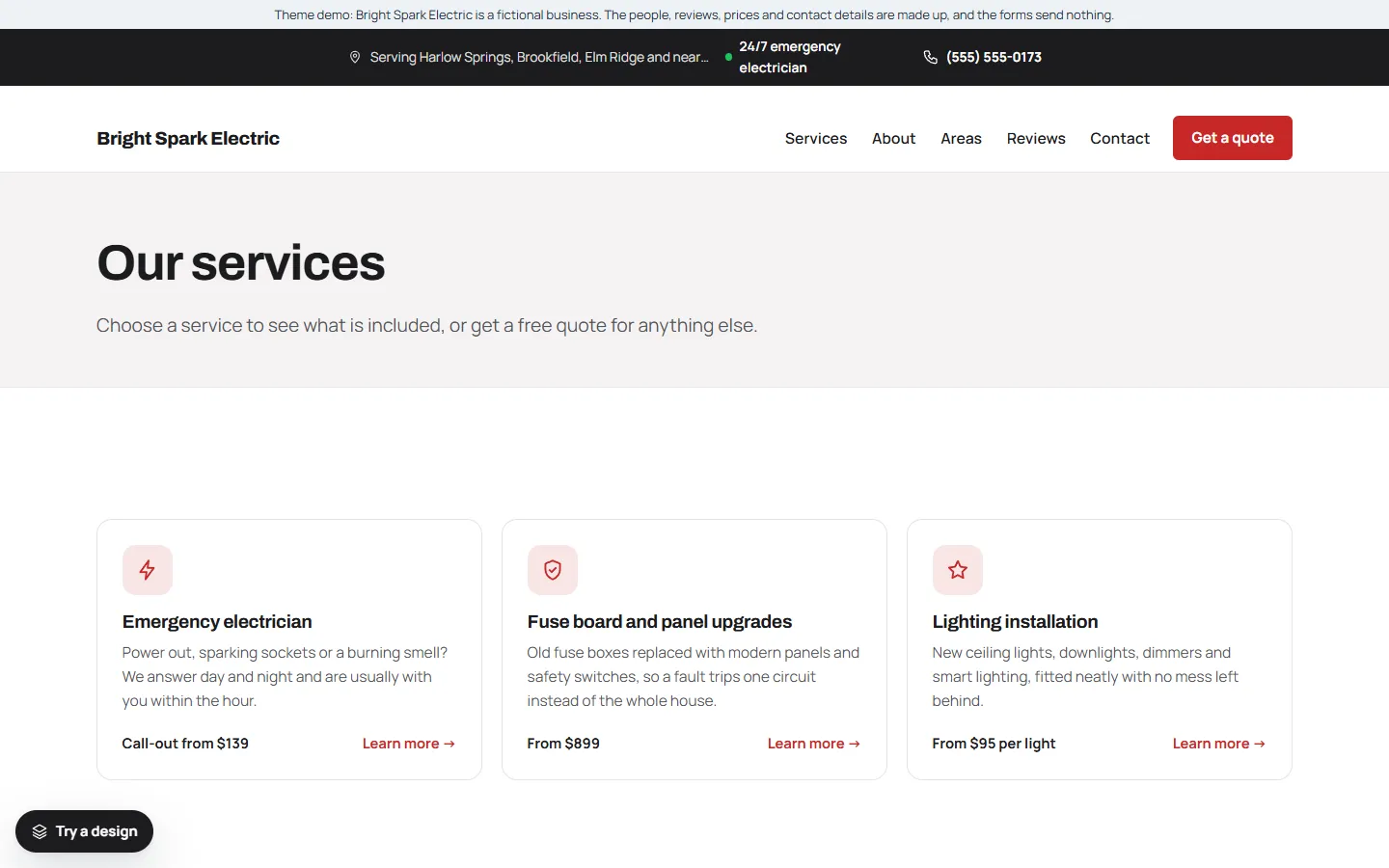
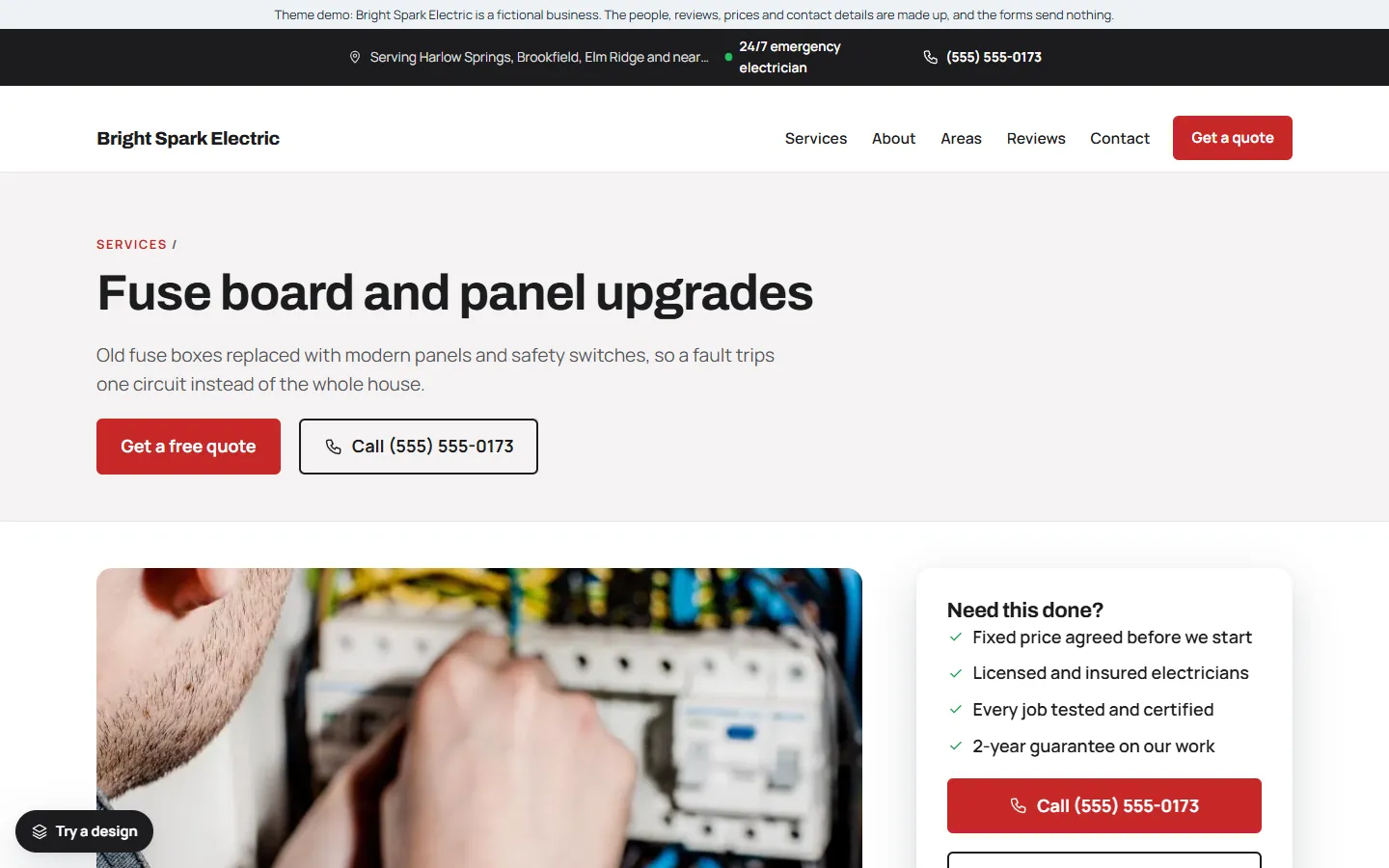
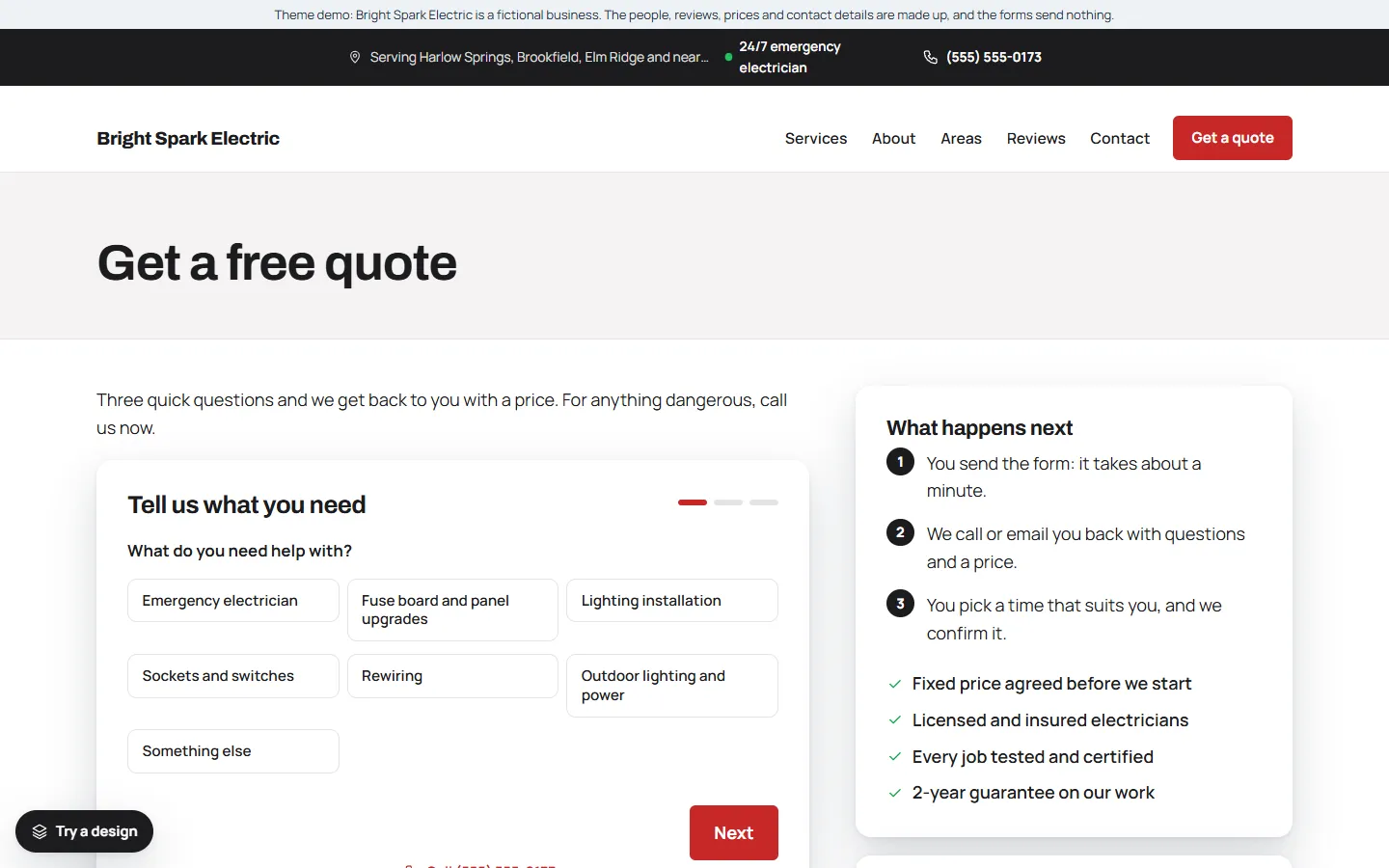
The demo business, Bright Spark Electric, is made up. You can try the live demo on your phone and read the full setup guide before you buy.